Timing that listens
Every line and every word timed from the song, on your machine. Nudge a line on the timeline, the words follow.
Turn any song into a lyric video. Text Studio hears the song, times every line and every word, and lets you style them with motion, colour and emojis. Export a transparent overlay, or drop it straight into DaVinci Resolve.
Free to start. No card needed.
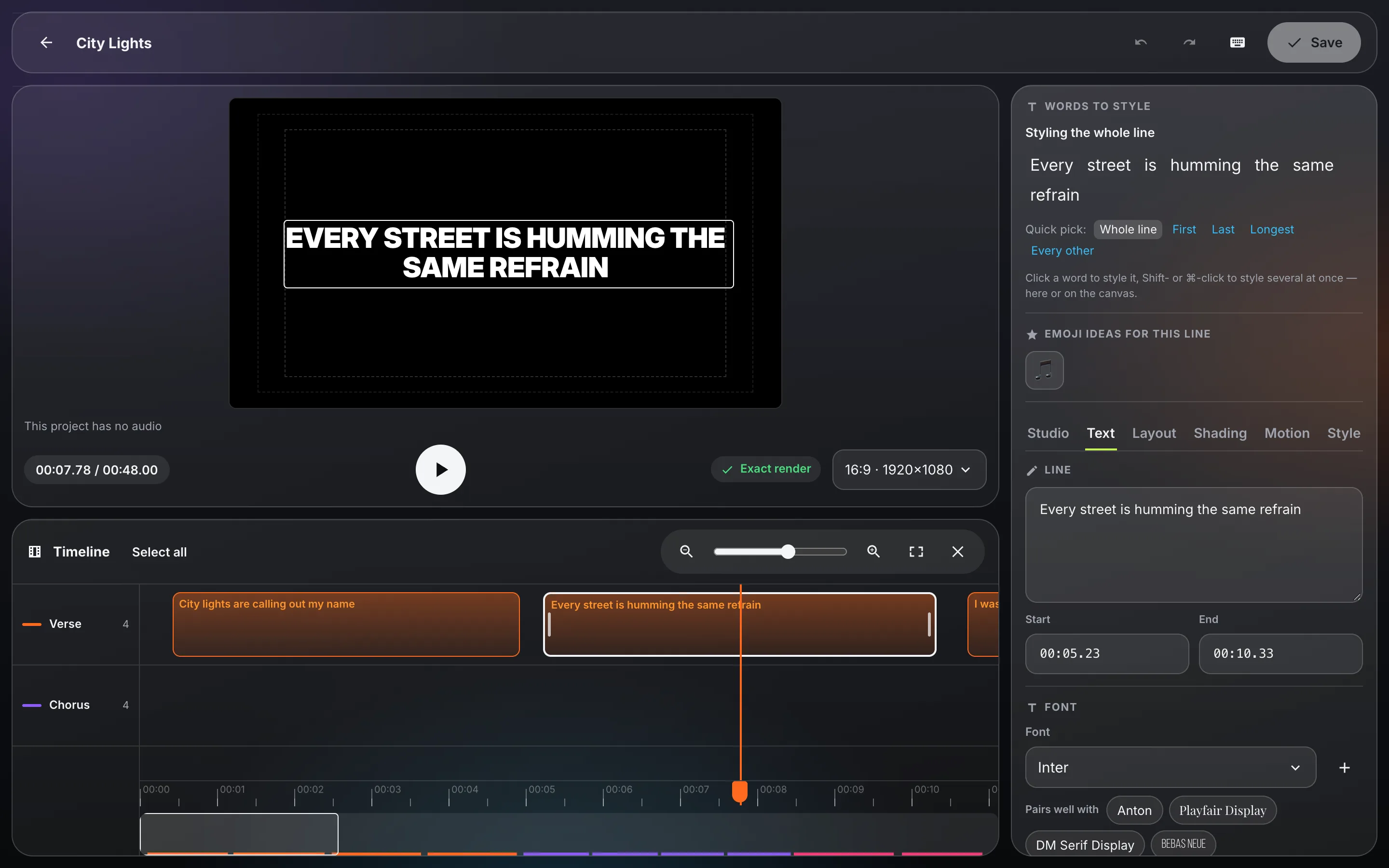
Upload a song or a video. Text Studio listens and writes every line with its timing, word by word. Paste your own lyrics if you have them, or start from text alone.
Pick a look, then change anything: fonts, colours, glow, how each line enters, loops and leaves. Style one word or a whole chorus. Every change plays live.
A transparent ProRes overlay for any editor, a finished video, subtitles, or nodes you paste into DaVinci Resolve's Fusion page.
Built for the way lyric videos are really made: fast drafts, precise timing, and looks you can reuse.
Every line and every word timed from the song, on your machine. Nudge a line on the timeline, the words follow.
Make the last word of each line bigger, tilt it, give it its own colour and motion. Or pick which word stands out, line by line.
Over sixty entrances, loops and exits, from a soft fade to a glitch, a bounce or a neon flicker. Drag one onto the text.
Emoji ideas for the words of each line, placed and animated with the text, in front of it or behind.
Show it a few lyric videos or a poster you love. Claude studies them and builds the style for you.
Transparent ProRes 4444 for Premiere, Final Cut or Resolve, and a one-click copy of editable Text+ nodes for Fusion.
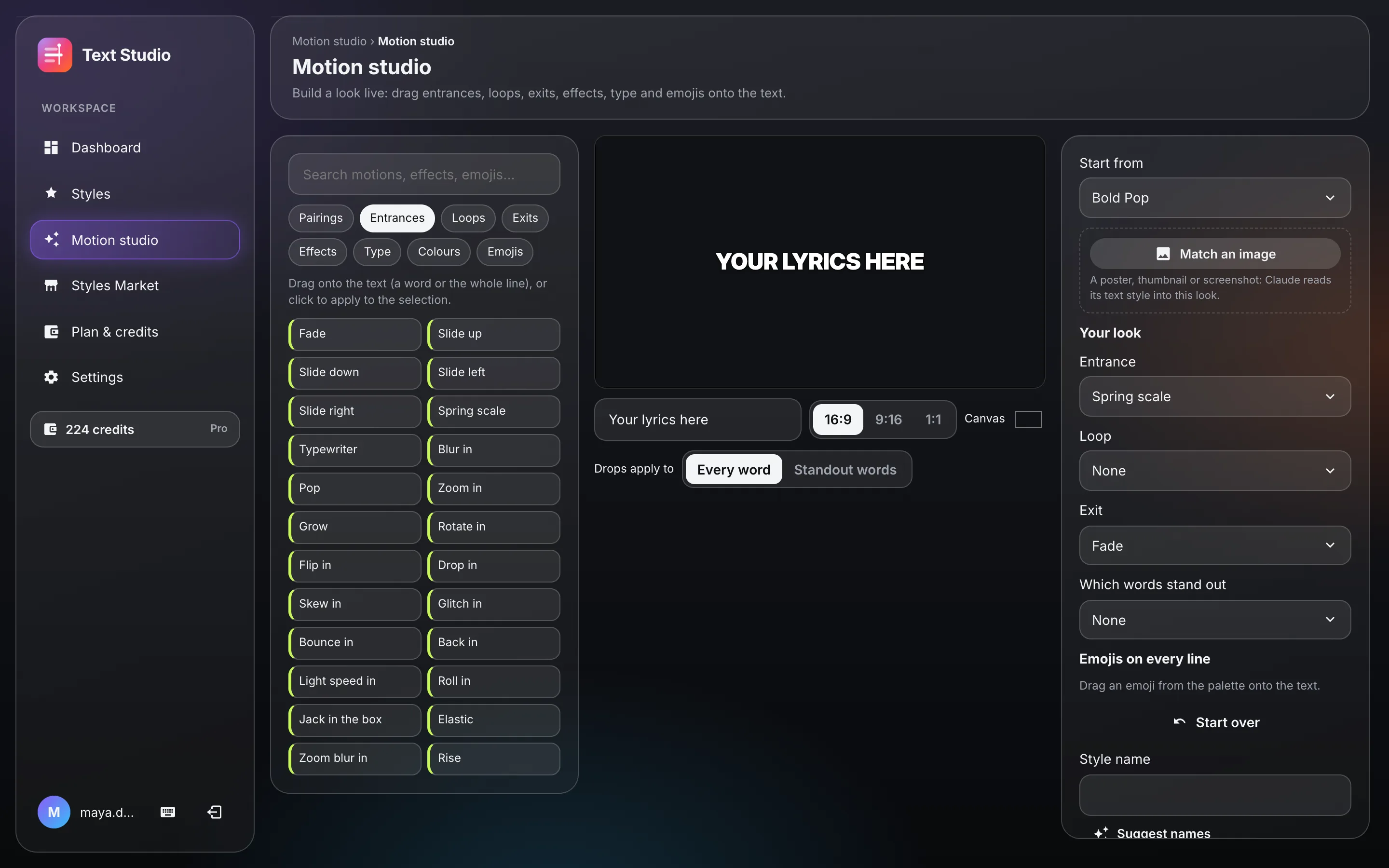
Drag entrances, loops, exits, effects, type and emojis onto the preview and watch them play. Start from any style, match the look of an image, then save it as your own to use on every project.
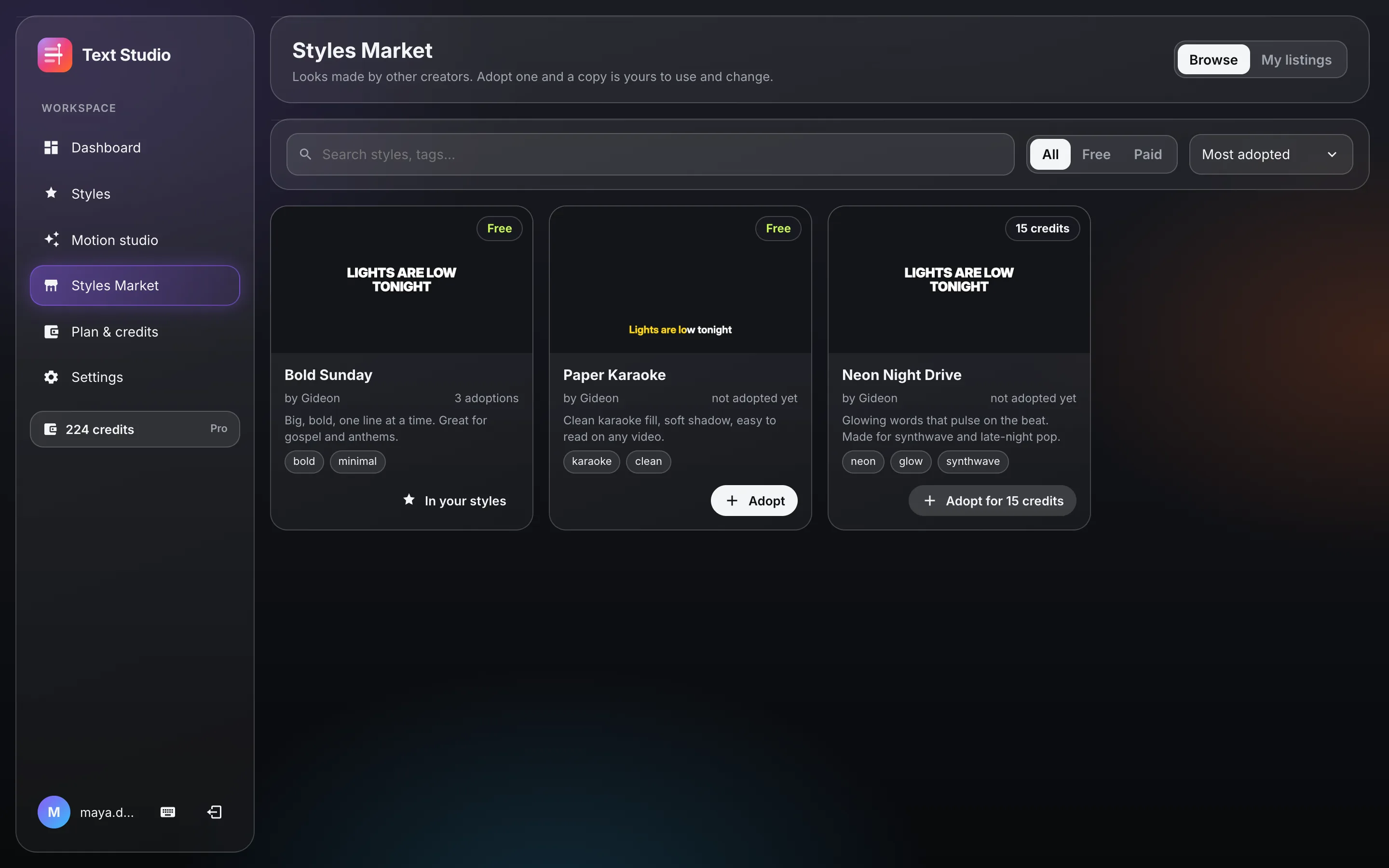
Browse looks made by other creators. Adopt one and a copy is yours to use and change. List your own for free, or for credits you can spend on exports.
Editing is always free. Credits pay for exports, 1 credit per minute of video, once per project: export it again in any format and it's free. Paid plans add Claude features, more storage and more devices.
Loading plans…
Buy a pack once, no plan needed. Packs last two years; subscribers get cheaper add-ons.
The app for your computer, or the same studio in your browser.
Exporting a project costs one credit per started minute of its timeline, once. After that, every export of that project is free: another format, another size, a DaVinci copy or subtitles. Credits also pay for Claude features on our key (2 for matching an image, 25 for teaching a style).
Everything but the Claude features: upload songs, get them timed, style lines and words, use the motion studio, adopt free styles from the market, and export a few songs a month with the free monthly credits.
Plan credits roll over when your plan renews, up to twice a period's worth. Pack credits last two years. When a plan ends, its credits stay usable for 30 more days.
On paid plans, yes: add your Anthropic API key in Settings and the Claude features run on it, with no credits and no monthly limits.
Free comes with 2 GB, Starter 20 GB, Pro 100 GB and Studio 500 GB, for your songs, videos and exports. Delete old exports any time to free space; exporting again is free.
Any time, from Plan & credits in the app. Your plan runs to the end of the period you paid for.
Free to start. Style your first song tonight.